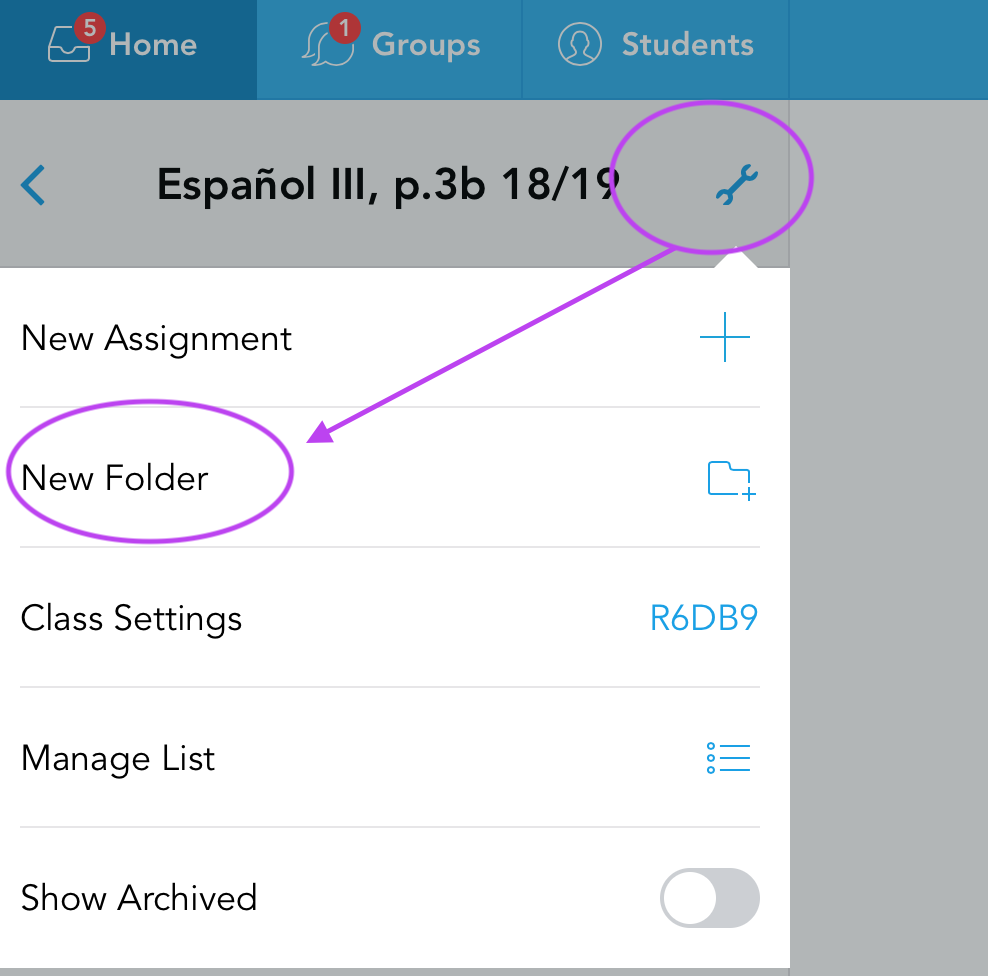
After you signed in to Showbie, select the class for which you would like to create a folder. Then, click the wrench icon and select New Folder.
Next, choose a name and color of your folder, click Save, and you are done!

After you signed in to Showbie, select the class for which you would like to create a folder. Then, click the wrench icon and select New Folder.
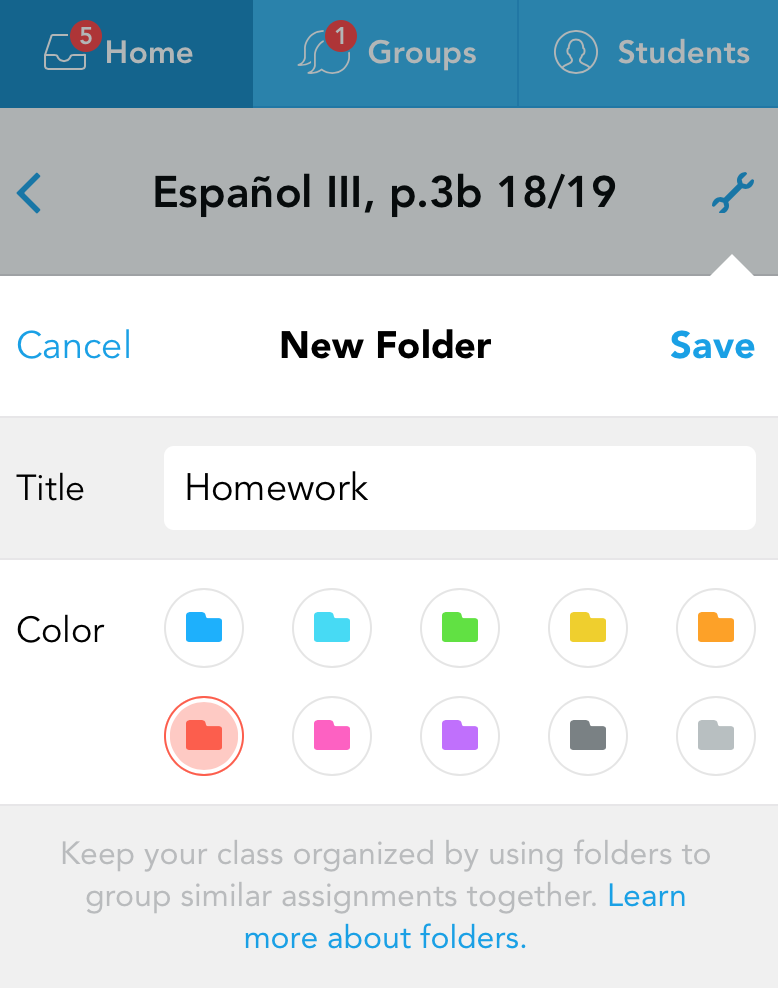
Next, choose a name and color of your folder, click Save, and you are done!
Comments
0 comments
Please sign in to leave a comment.